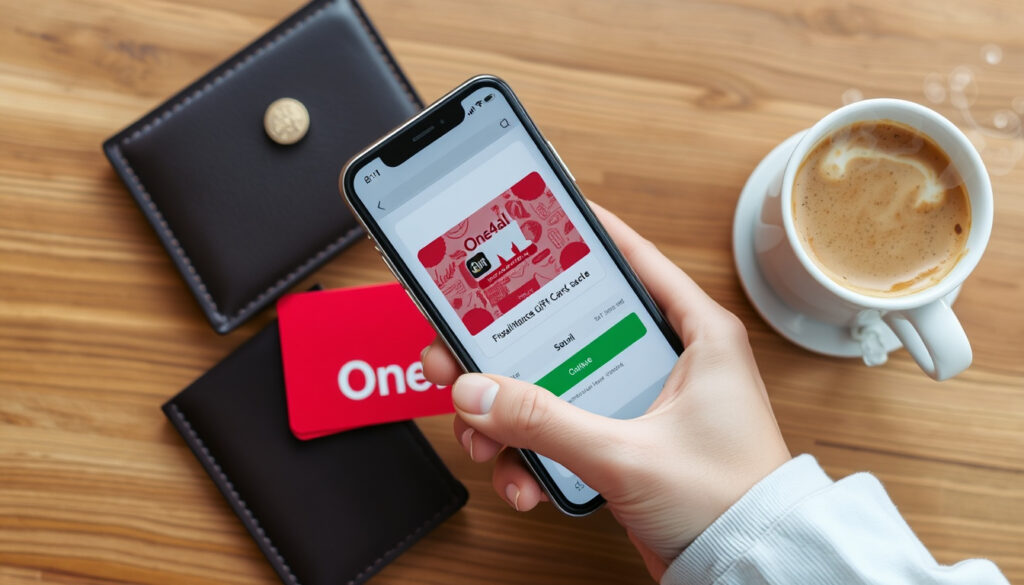
How to Check Your One4all Balance: 4 Methods
Few things are as frustrating as holding a gift card and not knowing how much is left on it. If you’ve got a One4all card in your wallet, you’re in luck: there are at least four official ways to check your balance, and they all take less than a minute. This guide walks through each method using the latest information directly from the company’s own website and help pages, so you can pick what works best for you.
Cards issued in Ireland: over 4 million One4all cards since launch (One4all Ireland homepage) · Participating brands: more than 10,000 (One4all Balance Check) · Balance check methods: at least 4 (app, phone, web, QR code) · Typical balance availability: 24 hours after purchase (One4all Rewards FAQ)
Quick snapshot
- Go to official One4all website (One4all Balance Check)
- Enter 16-digit card number (One4all FAQ)
- Instant balance display (One4all FAQ)
- Dial 1800 111 999 (toll-free) (One4all Ireland homepage)
- Follow voice prompts (One4all Balance Check)
- Available 24/7 (One4all Ireland homepage)
- Download for iOS or Android (Google Play, App Store)
- Add card via QR or number (One4all FAQ)
- See balance and transaction history (One4all FAQ)
- Use app ‘Scan QR’ feature (One4all FAQ)
- Camera reads back of card (One4all FAQ)
- Balance shows immediately (One4all FAQ)
Four methods, one goal: get your balance fast. The table below gives you a quick reference of key facts about the One4all card network and balance-checking services.
| Number of cards issued | over 4 million in Ireland (One4all Ireland homepage) |
| Participating retailers | more than 10,000 (One4all Balance Check) |
| Balance availability | within 24 hours of purchase (One4all Rewards FAQ) |
| Customer service phone | 1800 111 999 (Ireland toll-free) (One4all Ireland homepage) |
| Official balance check page | one4all.ie/one4all-checkbalance (One4all Balance Check) |
| App name | One4all Digital Wallet (Google Play, App Store) |
| SMS check number | text “My Balance” + card number to 57887 (One4all Balance Check) |
| Automated phone line (Ireland) | 01 906 8547 (One4all Balance Check) |
How do I check my One4all balance online?
One4all online balance check step-by-step
- Go to one4all.ie/one4all-checkbalance, the official balance page operated by One4all (Ireland’s largest gift card network).
- Enter the 16-digit card number exactly as printed on the front of your card – no spaces or dashes.
- No login is required for a one-off check, though the page may ask for a CVV2 code depending on the card variant, according to the One4all FAQ.
- Your current balance appears immediately after submitting the details, provided the card has been activated and at least 24 hours have passed since purchase.
Online is the fastest no‑download method, but you need the card number handy. If the number is worn off, you’ll be better off using the app or QR scan.
What you need to check One4all balance online
- The physical card (or a photo of the front showing the 16-digit number).
- For some cards: the 3‑digit CVV2 on the back (see One4all FAQ).
- An internet connection – but no app download.
The implication: online checking is the lightest method. No registration, no app store trip – just type and see. But if you frequently check multiple One4all cards, the app saves keystrokes.
What is the One4all balance check phone number?
One4all customer service phone number
- For cardholders in Ireland, One4all operates a dedicated balance check number: 1800 111 999 (toll‑free from within Ireland) (One4all Ireland homepage).
- This line is available 24/7 and is confirmed on the One4all Ireland homepage.
- Alternatively, you can call the automated balance enquiry line at 01 906 8547 (local rate), listed on the official balance check page.
Automated balance check by phone
- Dial the number and listen to the automated voice prompts.
- Have your card ready – you’ll need to enter the 16‑digit card number and, according to the One4all FAQ, the 3‑digit CVV2 code when prompted.
- The system will read your balance aloud or send it via SMS if you request.
The catch: phone checks require the CVV2, which isn’t always needed online. Still, it’s the go‑to method for anyone without a smartphone or internet access.
How can I use the One4all app to see my balance?
Downloading the One4all Digital Wallet app
- Download the One4all Digital Wallet from Google Play or the Apple App Store – it’s free.
- Open the app, register with your email and create a 4‑digit PIN.
- No card number is needed at registration – you add cards after logging in.
Viewing balance in the app
- Tap the New Card button and either scan the QR code on the back of your physical card or manually enter the card number and CVV2.
- Once added, your balance appears in the top‑right corner of the gift card image within the app, as described in the One4all FAQ.
- The app also shows transaction history – a feature the online checker doesn’t offer.
The trade‑off: the app requires a download and registration, but gives you instant access to balances for multiple cards and a full spending log. If you manage several One4all cards, it’s the most powerful tool.
Can I scan my One4all card to check the balance?
QR code location on One4all card
- All physical One4all cards have a unique QR code printed on the back, next to the CVV2.
- The QR code is designed to be scanned by the One4all Digital Wallet app – it automatically fills in the card number and CVV2, saving you manual entry.
Scanning the QR code with your phone
- Open the One4all Digital Wallet app and select Scan QR.
- Point your phone’s camera at the QR code on the back of the card. The app instantly loads the card details.
- Your balance displays immediately after the card is added, per the One4all FAQ.
The upshot: scanning is the fastest way to add a card – no typing, no typos. If you have the app open, it’s a two‑second check.
How do I activate my new One4all card?
Activation delay: 24 hours explained
- Most One4all cards are active immediately after purchase – the card is ready to spend at any participating retailer.
- However, the balance may take up to 24 hours to appear on the online checker or app, as stated in the One4all Rewards FAQ.
- This delay is because the card issuer (Allpay Limited) needs to settle the transaction with the retailer.
Troubleshooting a card that won’t activate
- If your balance shows zero after 24 hours, check you’re entering the 16‑digit number without spaces.
- Still zero? Call One4all customer support at 1800 111 999 (toll‑free) or 01 906 8547.
- Have the purchase receipt handy – support may ask for proof of purchase.
Why this matters: the 24‑hour window is a common point of confusion. Knowing it’s normal can save you an unnecessary call. Wait a full day before worrying.
“There are multiple ways to check the balance on your card; we highly recommend downloading the One4all App.”
— One4all Rewards FAQ
“Once 24 hours have elapsed from the date of purchase, your balance will be available to spend.”
— One4all official FAQ
For the average One4all cardholder in Ireland, the app is the most complete tool – it handles balance checks, transaction history, and QR scanning in one place. The online checker and phone line are excellent fallbacks when you don’t have your phone or app installed.
SMS method: text “My Balance” + card number to 57887 (One4all Balance Check) · App balance location: top-right of card image (One4all FAQ) · Online checker URL: one4all.ie/one4all-checkbalance · Card support line hours: 24/7
faqs.one4all.ie, weeklyreview.co.uk, media.one4all.ie, faqs.one4all.ie, publicwatch.uk, signaldesk.uk, briefscape.uk
Frequently asked questions
Can I use my One4all card outside Ireland?
Yes, One4all cards issued in Ireland can be used at participating retailers in the UK and online, but check One4all’s terms and conditions for geographic restrictions.
What happens if I lose my One4all card?
Unfortunately, One4all cards are treated like cash. If lost or stolen, the balance cannot be replaced. Keep your card safe and consider adding it to the app immediately after purchase.
Can I add more money to my One4all card?
Standard One4all gift cards are not reloadable. However, the reloadable version can be topped up; check your card type on One4all’s reloadable terms.
How do I see my One4all transaction history?
Only the app shows transaction history. The online checker and phone line give you the current balance but not past spending. Download the One4all Digital Wallet to see where you’ve used the card.
Is the One4all app free to download?
Yes, the app is free on both Google Play and the Apple App Store. Data charges may apply when using it on mobile data.
Do I need an internet connection to check balance by phone?
No – the automated phone line (1800 111 999 or 01 906 8547) works on any landline or mobile without data. Just have your card and CVV2 ready.
Can I check someone else’s One4all card balance?
Yes, if you have the physical card (the 16‑digit number and CVV2), you can check the balance using any of the methods described above. No login or proof of ownership is required.
For anyone with a One4all card in Ireland, the choice of checking method is simple: use the app for speed and history, the online checker for a quick single check, or the phone if you prefer voice. Either way, you’ll never be left wondering again.
Related reading: Tesco Clubcard top-up and balance · Best Black Friday deals in Ireland
More related posts
 Ryanair Share Price Euro: Live €22.60 on Euronext Dublin
 W2 Bus Timetable Waterford: Routes, Stops & Real-Time Tracking
 What Is a Dangerous Low Blood Pressure for a Woman?
 Junior Cycle Timetable 2025 – Full June Dates and PDF Guide
 Top Things to Do in Gran Canaria: Attractions, Beaches & Tips
 The Beach Boys Songs – Best Hits, Top Tracks and Legacy
 Back Home in Derry Lyrics: Meaning, Author, and Origins
 Easter Art for Kids: Fun Drawings and Crafts
