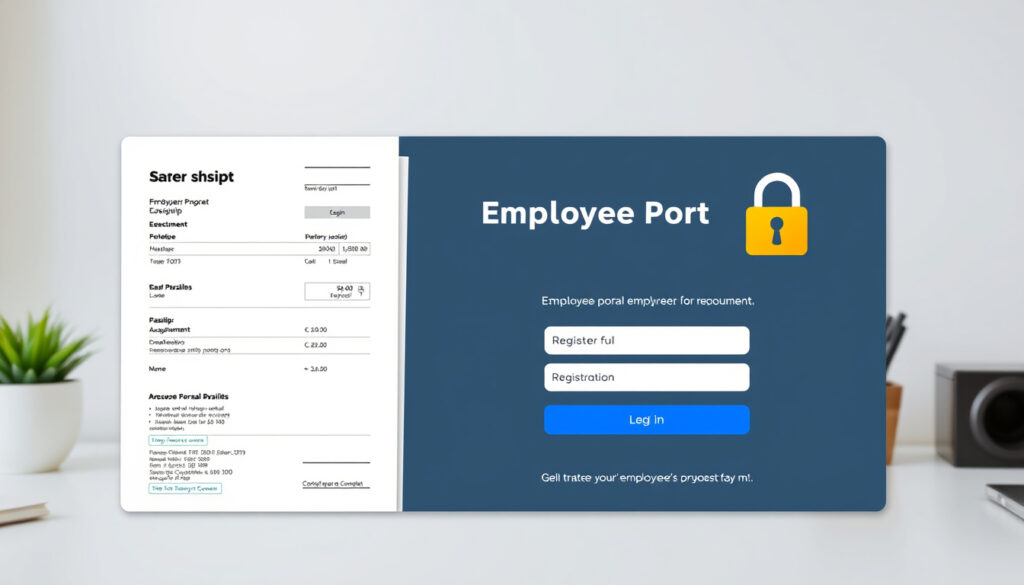
HSE My Self Service Login, Payslips & Registration Guide
If you work for Ireland’s Health Service Executive (HSE), you’ve likely heard about the My Self Service portal but might be wondering exactly how to get in, get your payslip, and move on. With over 70,000 staff relying on it for payroll, leave, and expenses, having a clear route through the system makes a real difference to your day. This guide walks you through every step — from your first login to troubleshooting the trickiest issues — all using official HSE resources.
Official portal URL: myhseselfservice.hse.ie ·
Platform: SAP NetWeaver ·
Registration required: Yes ·
Payslip availability: From March 2023 (selected regions) ·
Staff size: Over 70,000 employees
Quick snapshot
- Login via myhseselfservice.hse.ie (HSE support page)
- Registration requires emailing support.nisrp@hse.ie (HSE getting started guide)
- Payslips available from March 2023 for five regional groups (HSE online payslips page)
- Helpdesk: 0818 300 296, Mon-Fri 9am-4:30pm (HSE support details)
- Exact national rollout completion date for payslips
- Whether an official mobile app is planned
- System downtime schedules are not publicly listed
- March 2023: South region payslips moved to Self Service (HSE rollout map)
- 2023 onward: National rollout of online payslips continues (HSE rollout map)
- Current: Login and registration active for all HSE staff (HSE rollout map)
- Full national payslip rollout expected but no firm deadline
- Potential mobile app may follow if staff demand increases
- Legacy online payslip system to phase out completely
Six key facts about HSE My Self Service reveal a pattern of gradual digitisation with strong central support:
| Fact | Value |
|---|---|
| Portal name | My HSE Self Service (HR and Payroll Self Service) |
| Developer | SAP AG |
| Launch year | 2023 (payslip rollout) |
| Log in URL | myhseselfservice.hse.ie |
| Registration URL | myhseselfservice.hse.ie |
| Support page | HSE My Self Service Support |
How do I log in to HSE My Self Service?
Step-by-step login instructions
- Go to http://myhseselfservice.hse.ie in your browser — supported browsers include latest versions of Chrome, Firefox, Edge, and Safari per HSE support guidance.
- Enter your logon ID: this is your HSE personnel number preceded by the letter “E”, followed by your mobile number in the format “353 87*******” — no spaces. This is confirmed in HSE’s first-time setup instructions.
- Enter your temporary password (sent via text message during registration) or your existing password.
- The system will prompt you to create a new password if it’s your first login. Password rules: at least 8 characters, one uppercase letter, one number, one special character (HSE password policy).
- Once logged in, you can create a desktop shortcut by entering https://myhseselfservice.hse.ie in your browser’s shortcut wizard.
For first-time users, the flow is: access the portal, select “Password Reset”, enter your logon ID, and use the temporary password sent via SMS to authenticate.
Troubleshooting login issues
- Forgot password? Use the “Password Reset” link on the login page. The system sends a temporary password to your registered mobile number.
- Forgot username? Your logon ID is always your personnel number with “E” prefix and mobile suffix — check your payslip or contact the helpdesk on 0818 300 296 (HSE helpdesk hours: Mon-Fri 9am-4:30pm).
- Account locked? After several failed attempts, the system locks your account temporarily. Wait 15 minutes or contact the helpdesk.
- Browser issues? Clear cache and cookies, or try a different supported browser. The portal uses SAP NetWeaver, which works best with up-to-date browsers.
Your logon ID format (E + personnel number + mobile) is the same across all HSE HR and payroll modules. Get this right once, and you avoid repeated calls to the helpdesk — which serves over 70,000 staff across Ireland.
How can I view my payslips on HSE Self Service?
Accessing payslips by region
Online payslips are available for staff in these regional groupings, as listed on the HSE online payslips page:
- East: Dublin, Wicklow, Kildare
- Mid-West: Limerick, Clare, Tipperary North
- North East: Cavan, Monaghan, Louth, Meath
- South: Cork, Kerry
- West: Galway, Mayo, Roscommon, Sligo, Leitrim, Donegal
- Retirees: Access for former HSE staff
Payslips from March 2023 onward are available through the HR and Payroll Self Service. Earlier payslips may still be accessible via the legacy online payslips system, which uses a PIN found on paper payslips (legacy user guide via Scribd).
Viewing and downloading payslips
- After logging in at myhseselfservice.hse.ie, navigate to the “Payslips” section in the main menu.
- Select the pay period you want to view. Payslips are displayed as PDF files that can be downloaded or printed directly.
- According to HSE’s support page, the portal also lets you apply for leave, submit travel expenses, and update your personal details.
If you work in a region not yet fully migrated — or if you need a payslip from before March 2023 — you may need to use the legacy system or contact payroll directly. The HSE has not published a definitive timeline for full national coverage.
The pattern: regional rollout means some staff have seamless digital access while others still juggle two systems — a transition that creates uneven user experience across the country.
How do I register for HSE My Self Service?
Registration process
Registration for HR and Payroll Self Service involves a specific three-stage flow, as outlined by both HSE’s getting started guide and Tusla’s staff guidance:
- Request the registration form by emailing support.nisrp@hse.ie with the subject line “User Set-Up Request Form”. You will receive a template and instructions back.
- Complete and submit the form through the Health Shared Services Self Service Portal — this is where your personal and employment details are validated against HSE records.
- Receive your credentials via email from SAPHR.Selfservice@hse.ie. This can take up to 2 working days due to data validation and processing (Tusla guidance).
After you receive the email, follow the link to set your password and complete first-time login. Your temporary password will be sent via text message to the mobile number you provided.
Required information for registration
- Your HSE staff email address
- Your HSE personnel number (found on payslips or HR correspondence)
- Your mobile phone number (Irish format: 353 87*******)
- Manager approval may be required depending on your role — check with your line manager before submitting
The 2-working-day wait for SAPHR.Selfservice@hse.ie is the most common frustration. Plan ahead: submit your registration form at least a week before you need payslip access for a new job or transfer.
What this means: registration is not instant — it’s a deliberate onboarding process that validates your identity against HSE’s central HR system, which trades speed for security.
Is there a HSE My Self Service mobile app?
Official mobile app status
As of 2025, there is no dedicated HSE My Self Service mobile app available on Apple’s App Store or Google Play. The portal is designed to be accessed through a web browser on any device.
Mobile browser access
- The SAP NetWeaver interface is mobile-responsive, meaning it adapts to smaller screens when accessed via a smartphone browser.
- To use on mobile: open Safari, Chrome, or Firefox on your phone and navigate to myhseselfservice.hse.ie.
- You can add a shortcut to your home screen for quicker access (iOS: Share > Add to Home Screen; Android: Menu > Add to Home Screen).
- The HSE support page includes instructions for creating a desktop shortcut — the same method works on mobile browsers.
Without a native app, offline access is impossible. If you’re in an area with poor mobile coverage — common in rural Irish healthcare settings — you may need to plan payslip access for when you have a stable internet connection.
The trade-off: a responsive website avoids app store approvals and IT management overhead, but staff working on hospital wards or community sites without reliable WiFi may find mobile access frustratingly slow.
What is the HSE Self Service SAP login?
Understanding SAP NetWeaver platform
HSE My Self Service runs on SAP NetWeaver, an enterprise application platform developed by SAP AG (German enterprise software company). The login page is managed by SAP’s user management system, which provides single sign-on (SSO) across all HSE HR and payroll modules.
- The same credentials you use for payslips also work for leave applications, travel expense submissions, and personal detail updates.
- The portal displays “User Management, SAP AG – Copyright © SAP AG” at the login screen, confirming its corporate architecture.
- Password reset and registration are handled entirely within the SAP system — not by HSE’s local IT.
Differences from standard login
- Logon ID format is unique: E + personnel number + mobile number (no spaces). This is not a standard email or username.
- Password complexity requirements (8 chars, uppercase, number, special character) are enforced by SAP’s security policy.
- Session timeout occurs after a period of inactivity — the system logs you out for security, so save your work before stepping away.
“Using HR and Payroll Self Service you can see your payslips, apply for leave, submit travel expenses and update your details.”
HSE HR and Payroll Self Service support page (official HSE staff guidance)
“Register for online payslips or log in to view your payslip.”
HSE Online payslips page (HSE payroll services)
The implication: the SAP platform ties together multiple HSE HR functions under one login, which means a single password change affects all services — but a single lockout blocks everything.
For HSE staff across Ireland, the choice is clear: engage with the registration process early, keep your mobile number updated with HR, and use the supported browser versions to avoid login headaches. If you’re in a region still on the legacy system, plan for a transition once your area gets the Self Service rollout — the future of HSE payroll is digital, and the portal is the only way in.
Related reading: HSE My Self Service Support · Getting started on HR and Payroll Self Service for employees
scribd.com, healthservice.hse.ie, youtube.com, facebook.com, linkedin.com, facebook.com, healthservice.hse.ie
Frequently asked questions
How often are payslips updated on HSE Self Service?
Payslips are typically published on the portal on the same day as your payroll run — usually the last working day of the month. Access is available 24/7 once uploaded.
Can I change my personal address through HSE Self Service?
Yes, the HR and Payroll Self Service lets you update your personal details, including your address, phone number, and emergency contact information.
What should I do if I forget my HSE Self Service username?
Your logon ID is your personnel number preceded by “E” and followed by your mobile number in format 353 87*******. If you still can’t find it, call the helpdesk at 0818 300 296 during support hours (Mon-Fri, 9am-4:30pm).
Is my payslip data secure on the portal?
Yes. The portal uses SAP NetWeaver’s enterprise-grade security with encrypted connections (HTTPS). Password rules require a strong password, and session timeouts protect against unauthorised access.
How do I contact HSE payroll support for Self Service issues?
Call the dedicated helpdesk at 0818 300 296, Monday to Friday, 9am to 4:30pm. For registration issues specifically, email support.nisrp@hse.ie with “User Set-Up Request Form” in the subject line.
Can I view historical payslips from before 2023?
Payslips from before March 2023 may still be available on the legacy online payslips system, accessed using a PIN from your paper payslip. Contact payroll if you need older records not on either system.
Do part-time HSE staff have access to the same Self Service portal?
Yes, all HSE employees — full-time, part-time, and temporary staff — can register and use the same HR and Payroll Self Service portal, provided they have an active HSE personnel number.
More related posts
 Dr Melaxin Peel Shot Review: Does It Work? Side Effects & Safety
 Mother’s Day 2026: UK & US Dates Explained
 How to Clean Keyboard Keys Safely and Effectively
 King Size Bed Ireland: Sizes, Comparisons & Buying Guide
 Liverpool F.C. vs PSV Eindhoven Standings: Results & Table
 28 Years Later Release Date: When Does It Come Out
 Kidney Stones Symptoms in Women: First Signs & Pain Guide
 France v New Zealand Rugby: Scores, History & How to Watch
