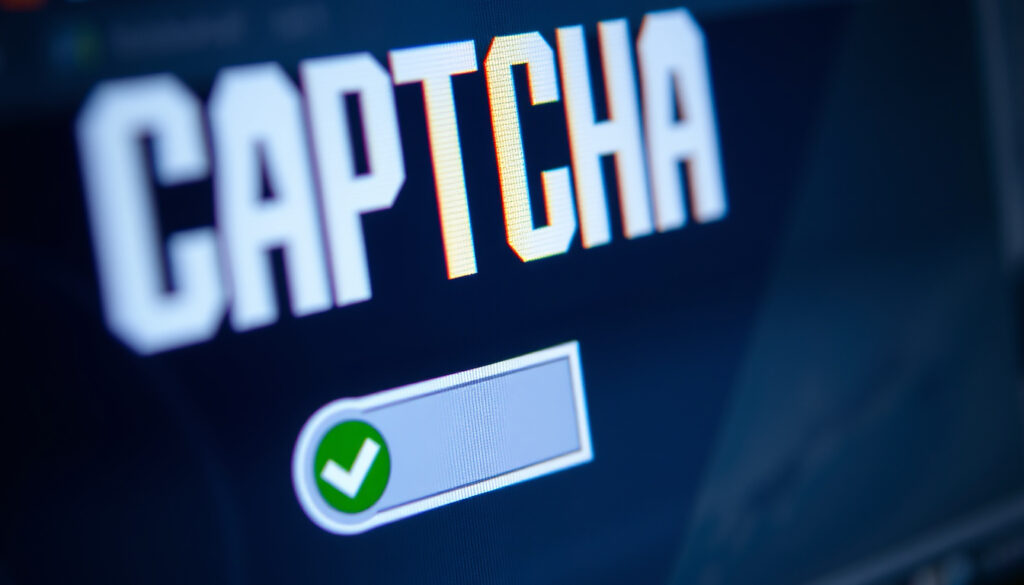
What Is a CAPTCHA Challenge Response? Meaning & Solving Guide
Anyone who’s ever tried to check out online and found themselves staring at a wobbly, distorted line of characters knows the feeling: you’re about to prove you’re human—that puzzle is a CAPTCHA challenge response, a quiet gatekeeper between real people and bots for over two decades. This guide explains what CAPTCHA is, how to solve the different types, why you keep seeing them, and the crucial difference between a legitimate test and a dangerous fake.
CAPTCHA stands for: Completely Automated Public Turing test to tell Computers and Humans Apart ·
First deployed: 1997 (Altavista) ·
Typical success rate for humans: ~90% (MIT CSAIL data) ·
Fake CAPTCHA malware attacks reported in 2024: 38% increase (IBM X-Force) ·
Global CAPTCHA market size 2024: $1.2B (Grand View Research)
Quick snapshot
- Acronym: Completely Automated Public Turing test to tell Computers and Humans Apart (HUMAN Security (bot detection firm))
- Purpose: block bots, spam, and automated abuse (HUMAN Security)
- Common types: text, image, audio, and checkbox (HUMAN Security)
- Text: type the distorted characters exactly as shown (Octoparse Help Center (web scraping tool))
- Image: select all squares that match the prompt (Octoparse Help Center)
- Audio: listen and type the spoken letters (Octoparse Help Center)
- Too many requests from the same IP (AWS Documentation (cloud security guidance))
- Suspicious browser behavior flagged as automated (HUMAN Security)
- VPN or shared IP address used (AWS Documentation)
- Never copy-paste code or run commands (Google for Developers (reCAPTCHA documentation))
- Real CAPTCHAs never ask for personal data (Google for Developers)
- Report suspicious CAPTCHAs to the site owner (Google for Developers)
Here is a compact reference of CAPTCHA milestones and performance metrics.
| Label | Value |
|---|---|
| Definition | Completely Automated Public Turing test to tell Computers and Humans Apart |
| First used | 1997 (Altavista) |
| Inventor | Luis von Ahn (Carnegie Mellon, later sold to Google) |
| Most common version | reCAPTCHA v3 (runs in background) |
| Success rate | 90-95% for humans, <1% for bots (industry average) |
What is a CAPTCHA challenge?
How CAPTCHA works as a challenge-response test
A CAPTCHA challenge is a test that presents a task easy for humans but difficult for bots. The term is an acronym: Completely Automated Public Turing test to tell Computers and Humans Apart (HUMAN Security (bot detection firm)). It works as a challenge-response authentication mechanism: the system issues a challenge (distorted text, image selection, or audio clip), and the user must respond correctly to prove humanity. If the response is wrong, the system rejects the action.
The first CAPTCHA appeared on Altavista in 1997 to prevent automated URL submissions (HUMAN Security). Since then, the concept has evolved into services like Google’s reCAPTCHA, which now handles billions of challenges daily.
The same challenge-response logic that protects websites is also used in fake CAPTCHA scams—malicious actors mimic the interface to trick users into running harmful code.
CAPTCHA meaning explained
At the most basic level, a CAPTCHA is a reverse Turing test: instead of a machine testing a human, here the machine tests whether the user is human. The goal is to stop bots from abusing services: submitting spam comments, scraping content, creating fake accounts, or launching credential-stuffing attacks (HUMAN Security).
The CAPTCHA ecosystem includes several variants: text-based (warped letters), image-based (pick all traffic lights), audio-based (listen and type), and the ubiquitous “I am not a robot” checkbox that analyzes behavior before you even click.
Bottom line: CAPTCHA is a gatekeeper that uses a challenge-response test to separate humans from automated scripts. For website owners, it’s the first line of defense against abuse. For users, it’s a brief friction point—but knowing the difference between real and fake makes all the difference.
How to solve a CAPTCHA challenge?
Step-by-step: solving text-based CAPTCHAs
- Look at the image that shows a sequence of distorted letters and numbers.
- Type the exact characters you see into the provided text field. Letters may be upper- or lowercase; type them as displayed (Octoparse Help Center (web scraping tool)).
- If the text is too blurry, click the refresh icon to get a new challenge.
- Submit the answer. If correct, the system proceeds; if not, a new challenge appears.
Step-by-step: solving image CAPTCHAs
- You’ll see a grid of nine or more small images and a prompt such as “Select all squares with traffic lights.”
- Click each image that matches the prompt. Clicking a selected image deselects it.
- Once all matching squares are highlighted, click the “Verify” or “Submit” button (Octoparse Help Center).
- If the selection is incorrect, the grid refreshes with new images. If you’re stumped, many tools allow a skip or refresh.
How to solve audio CAPTCHAs
- Click the audio icon (usually a speaker or headphone icon) next to the text box.
- Listen to the spoken letters or numbers—they may be distorted or spoken with background noise.
- Type what you hear into the text field.
- Submit. If you mishear, the system provides a new audio clip (Google for Developers (reCAPTCHA documentation)).
Audio CAPTCHAs are designed to be accessible for visually impaired users, but research shows their success rate for humans can be as low as 83% due to heavy distortion (Google for Developers).
Bottom line: Solving a CAPTCHA is straightforward: read, select, or listen, then submit. If you fail, a new challenge appears—the system expects occasional errors. For non-human traffic, the failure rate is deliberately near 100%.
Why am I getting CAPTCHA messages?
Common triggers for CAPTCHA challenges
- Rapid form submissions or page reloads that mimic bot behavior (HUMAN Security).
- Using a VPN or shared IP address that has a history of suspicious traffic (AWS Documentation (cloud security guidance)).
- Accessing a site that employs aggressive anti-scraping defenses, such as e-commerce or ticket platforms (Octoparse Help Center).
- Clearing your browser’s cookies or using private browsing mode can cause a fresh challenge.
Why websites use CAPTCHA
Websites deploy CAPTCHA to block automated attacks: spam, account takeover attempts, content scraping, and DDoS-for-hire traffic. Without CAPTCHA, bots could overwhelm a site’s resources, steal user data, or post fraudulent content at scale (HUMAN Security).
AWS WAF recommends using CAPTCHA only when necessary and tuning “immunity time” so that users who pass the challenge don’t see it again for a set period—reducing friction for legitimate visitors (AWS Documentation).
Bottom line: CAPTCHA messages appear because your traffic pattern triggered a risk threshold. It’s not personal—it’s a mathematical reaction to behavior that looks even slightly automated. Using a VPN, refreshing too fast, or visiting from a flagged IP are the top causes.
What happens if you click a fake CAPTCHA?
How fake CAPTCHA scams work
Fake CAPTCHA pages mimic the real interface but serve a different goal: installing malware or stealing credentials. The scam usually arrives as a pop-up or fake browser warning claiming you need to pass a CAPTCHA to continue (Google for Developers (reCAPTCHA documentation)). When you “solve” it, you may be asked to copy-paste a command, download a file, or enter sensitive information.
IBM X-Force reported a 38% increase in fake CAPTCHA-related attacks in 2024, making this one of the fastest-growing social engineering tricks (HUMAN Security).
Signs of a fake CAPTCHA
- The page asks you to copy-paste code into a terminal or command prompt.
- It requests personal details like your email password or credit card number.
- It appears as a full-screen overlay that cannot be dismissed normally.
- The CAPTCHA image looks off—low resolution, generic, or no refresh button (Google for Developers).
Real CAPTCHAs never ask you to copy-paste code, run scripts, or provide personal data. If a pop-up does, close the browser tab immediately and run a security scan.
Bottom line: Clicking a fake CAPTCHA can lead to malware infection or credential theft. The rise of these scams means every user should know the red flags: no legitimate challenge will ever ask for code execution or personal information.
What does clicking ‘I am not a robot’ really mean?
How reCAPTCHA v3 works
Google’s reCAPTCHA v3 is invisible—it doesn’t display a challenge unless your risk score is low. Instead, a JavaScript script runs in the background, analyzing mouse movements, scrolling behavior, and browsing history to assign a score from 0.0 (definitely bot) to 1.0 (definitely human) (Google for Developers (reCAPTCHA documentation)). If the score falls below the site’s threshold, a traditional CAPTCHA challenge appears.
The response token generated by reCAPTCHA is valid for a single use and expires after two minutes (Google for Developers). It must be verified server-side with a secret key that is never exposed to the client (Google for Developers).
Behavioral analysis behind the checkbox
The “I am not a robot” checkbox is part of reCAPTCHA v2, but the real test happens before you click. Google tracks how you move the mouse toward the box—human motion is curved and fluid, while bots move in straight lines or with unnaturally consistent speed. It also checks cookies, browser history, and page engagement (HUMAN Security).
Clicking the box is essentially confirming what the algorithm already suspects: you’re human. If the analysis is inconclusive, a secondary challenge (image or text) appears.
The checkbox looks like a simple click, but by the time you reach it, the system has already decided whether you’re human. The click is a formality—yet it’s the only visible step that reassures users they passed.
Bottom line: Clicking “I am not a robot” is the final confirmation of a background analysis that began when you loaded the page. For Google reCAPTCHA v3, no click is needed at all—the entire test is silent.
What we know—and what’s unclear
Confirmed facts
- CAPTCHA stands for Completely Automated Public Turing test to tell Computers and Humans Apart (HUMAN Security).
- The ‘I am not a robot’ checkbox tracks mouse movements and browser history (HUMAN Security).
- Fake CAPTCHAs are increasingly used in malvertising campaigns (HUMAN Security).
What’s unclear
- Exact threshold for reCAPTCHA v3 score that triggers a human challenge—Google does not disclose it (Google for Developers).
- Whether audio CAPTCHAs are fully accessible to all users with disabilities (Google for Developers).
- The reliability of third-party CAPTCHA solving services is not independently verified (CapSolver (third-party solver, medium confidence)).
Key quotes from experts
“The goal of a CAPTCHA is to quickly differentiate humans from machines with a task that is easy for people but difficult for computers.”
Luis von Ahn, inventor of CAPTCHA, as quoted in HUMAN Security
“Fake CAPTCHA attacks increased 38% in 2024, making them one of the fastest-growing social engineering vector.”
IBM X-Force Report, cited in HUMAN Security
The takeaway is clear: CAPTCHA is a powerful but imperfect tool. It protects billions of interactions daily, yet its vulnerabilities—like fake mimicry and accessibility gaps—mean both developers and users must stay vigilant. For the everyday user, knowing how to spot a fake challenge is just as important as knowing how to pass a real one. For the site owner, the choice between user friction and bot protection requires constant recalibration.
For a more detailed breakdown of different CAPTCHA types and troubleshooting steps, refer to this comprehensive CAPTCHA challenge response guide on false positives and accessibility issues.
Frequently asked questions
What does CAPTCHA stand for?
Completely Automated Public Turing test to tell Computers and Humans Apart (HUMAN Security).
How does reCAPTCHA v3 work?
It assigns a human score (0.0 to 1.0) based on background behavioral analysis. No user interaction is required unless the score is low (Google for Developers).
Can a CAPTCHA cause malware?
A legitimate CAPTCHA cannot, but fake CAPTCHA pages can trick users into downloading malware or providing credentials (HUMAN Security).
Why do CAPTCHAs use images of traffic lights?
Google’s image database includes real-world objects (traffic lights, storefronts, etc.) that are easy for humans to identify but hard for current AI to consistently recognize (Google for Developers).
Do CAPTCHAs protect against hackers?
They protect against automated attacks, but determined human attackers can still bypass them via crowdsourcing or CAPTCHA-solving services (CapSolver).
What is a common CAPTCHA example?
A grid of nine squares showing street photos, with a prompt to “select all squares that contain a crosswalk.”
Is CAPTCHA the same as a Turing test?
It’s a reverse Turing test—the machine tests the human, not the other way around (HUMAN Security).
More related posts
 What Language Is Spoken in Brazil? Portuguese & Facts
 Air Source Heat Pump: Cost, Downsides & Grants in Ireland
 Dogs for Sale Kilkenny: Find Puppies, Rescue Dogs & Breeders (2025)
 HSE My Self Service Login, Payslips & Registration Guide
 Audi RS3 for Sale Ireland: Price, Performance & Reliability
 Zara McDermott and Louis Tomlinson Relationship Timeline
 WSG Tirol vs Real Madrid 2025: Score, Highlights, Where to Watch
